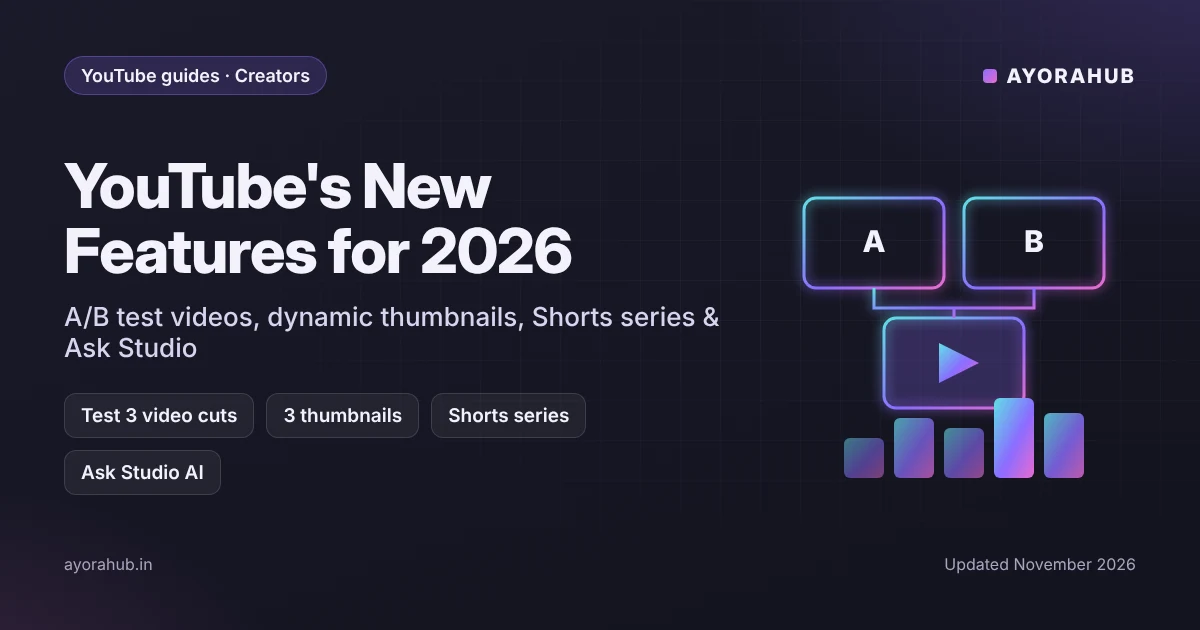
Quick answer (updated November 2026): The biggest YouTube new features of 2026 were announced at Made on YouTube 2026 (23 September):
- Video A/B testing: compare up to three different cuts of a video.
- Dynamic thumbnails: YouTube shows the best of three thumbnails to different audiences.
- Shorts series: group your Shorts into seasons and episodes.
- Ask Studio: the AI assistant in YouTube Studio, now coming to the mobile app.
- Insights and Research tools: help you find outlier videos and new ideas.
- Conversational AI editing for Shorts.
- Custom Feeds for viewers, built from prompts (US first).
- Live Showdowns between streamers.
- A test of live auto-dubbing in English and Spanish, planned for early next year.
- New earning options: Creator Partnerships, Amazon product tagging and affiliate campaigns.
Some features are rolling out now; others are marked “soon”, so check your YouTube Studio.
These updates change how videos are tested, packaged and discovered. Below we explain each feature in plain language, who gets it, and exactly how small and growing channels should use it to get more views and income.
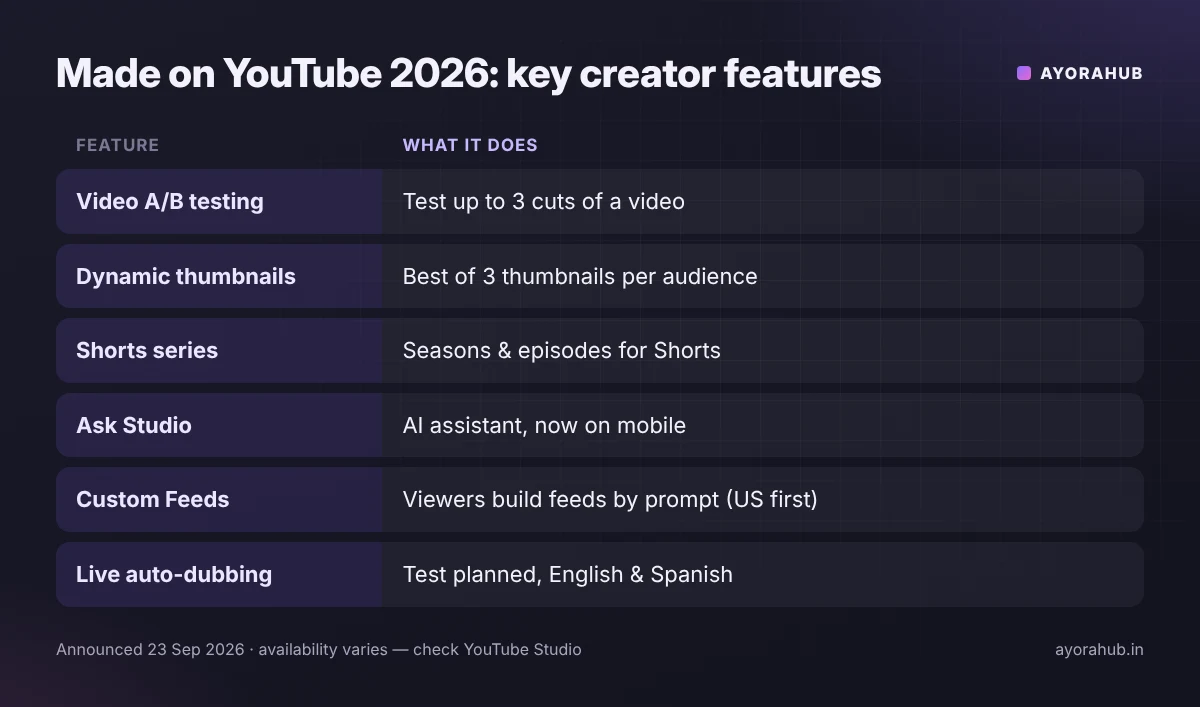
All the major announcements at a glance
| Feature | What it does | Availability (as announced) |
|---|---|---|
| Video A/B testing | Test up to 3 different cuts of a video to see which holds attention best | Rolling out in YouTube Studio |
| Dynamic thumbnails | Upload up to 3 thumbnails; YouTube shows the best one to each audience segment | Coming soon |
| Title & thumbnail tests | Existing “Test & Compare” — creators have run 40M+ experiments since 2024 | Available |
| Shorts series | Organise Shorts into seasons and episodes | Rolling out to YouTube Partner Program creators on web, mobile and TV |
| Ask Studio | AI assistant in Studio; expanding to iOS/Android and helping with brand briefs and pitches | Expanding |
| Insights & Research | Find your outlier videos and ideas from past performance and comments | Rolling out |
| Conversational AI editing | Edit Shorts by describing changes, in Shorts and the YouTube Create app | Rolling out |
| Likeness detection on mobile | Find AI content that uses your face, now in the mobile app | Expanding |
| Custom Feeds | Viewers create homepage feeds from prompts | US first, on web, mobile and TV |
| Live Showdowns | Head-to-head interactive live events between creators | Rolling out |
| Live auto-dubbing (test) | Real-time dubbing for live streams in English and Spanish | Test planned early next year |
| Monetisation | Creator Partnerships, Amazon product tagging, new affiliate campaigns | Varies by country |
1. Video A/B testing: test your hook, not just your thumbnail
YouTube’s Test & Compare already let you test titles and thumbnails. Now you can test up to three versions of the video itself — for example, three different openings — and see which keeps viewers watching longer.
How to use it:
- Test the first 30 seconds — that’s where most viewers leave.
- Change one thing at a time (hook line, first visual, pacing) so you know what worked.
- Use it on videos with steady traffic; tests on tiny audiences take longer to give clear results.
2. Dynamic thumbnails
Instead of choosing one “winning” thumbnail for everyone, you upload up to three and YouTube shows different viewers the version most likely to appeal to them. Make the three genuinely different — for example a face close-up, a product shot and a bold text version. Our thumbnail guide covers size, tools and design rules.
3. Shorts series: turn Shorts into a show
You can now group Shorts into seasons and episodes, so viewers can follow a story or a learning series in order — on phones and on TV. Ideas: “30 days of Excel tips”, “Learn English in 60 seconds — Season 1”, “Budget phone reviews”. See how to create YouTube Shorts for specs and scripts.
4. Ask Studio, Insights and Research: AI that knows your channel
Ask Studio is YouTube’s AI assistant inside Studio. It answers questions about your analytics and, according to YouTube, can give feedback based on your previous content and comments. It is coming to the YouTube Studio mobile app and will help with responses to brand briefs. New Insights and Research tools highlight your outlier videos — the ones that performed far above your average — so you can make more of what works.
Tip: ask specific questions, such as “Which of my videos got the most returning viewers last month and why?” Then verify the answer in your analytics before changing strategy.
5. AI editing for Shorts
You can edit Shorts by describing what you want — for example trimming, adding effects or captions — in the Shorts editor and the YouTube Create app. It speeds up editing, but always review the result before publishing, and label realistic AI-generated content where YouTube’s rules require it.
6. Custom Feeds: what changes for discovery
Viewers in the US can create their own homepage feeds by typing what they want to see (for example, “beginner home workouts without equipment”). For creators, this rewards clear, descriptive titles, descriptions and chapters — the signals that help YouTube match your video to such requests. Our YouTube SEO guide shows how.
7. New ways to earn
- Creator Partnerships: tools to connect with brands for sponsorships.
- Amazon product tagging and affiliate campaigns: earn commission when viewers buy tagged products (where available).
- Live Showdowns and fan features: more interactive ways to engage and earn during streams.
Not monetised yet? Start with YouTube Partner Program requirements.
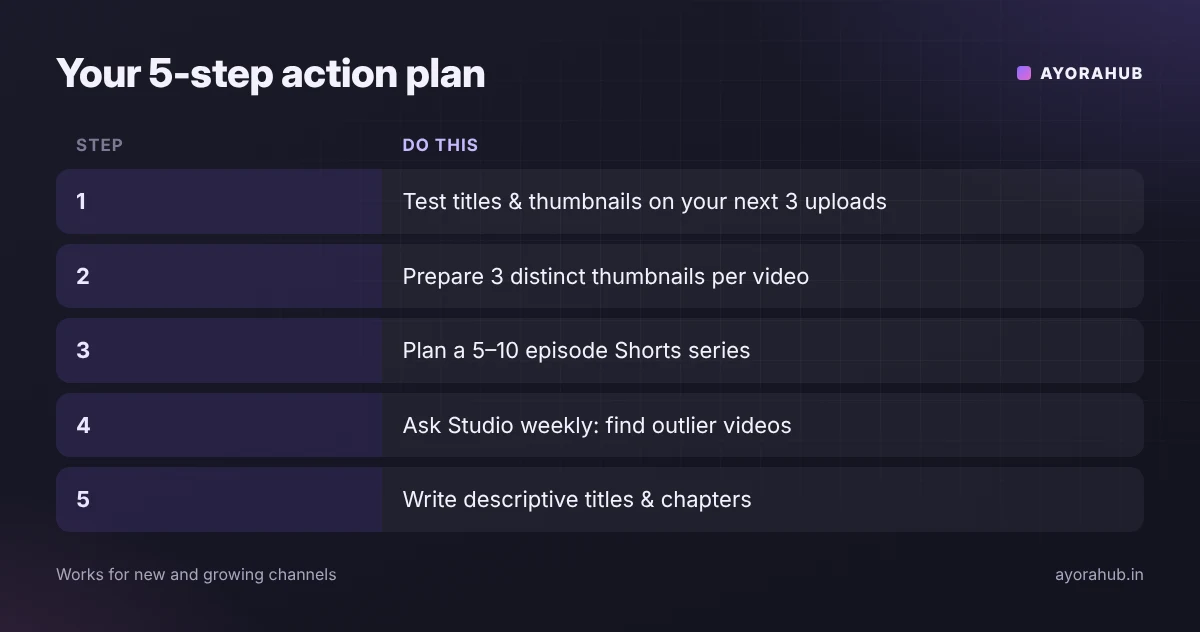
Action plan for small channels
- Turn on Test & Compare for your next three uploads (titles/thumbnails).
- Prepare three distinct thumbnails for each new video, ready for dynamic thumbnails.
- Plan one Shorts series of 5–10 episodes around your niche.
- Use Ask Studio weekly to find outliers, then make a follow-up video on each.
- Write descriptive titles and chapters for Custom Feeds and search.
Common mistakes
- Testing three near-identical thumbnails — differences must be clear.
- Judging a test too early, before enough impressions.
- Letting AI edits or AI-written titles go out unchecked.
- Assuming every feature is live in every country — check your Studio.
Frequently Asked Questions
What did YouTube announce at Made on YouTube 2026?
Video A/B testing, dynamic thumbnails, Shorts series, Ask Studio expansion, Insights and Research tools, AI editing for Shorts, Custom Feeds, Live Showdowns, a live auto-dubbing test and new monetisation tools.
How many thumbnails can I upload for dynamic thumbnails?
Up to three. YouTube then shows the best-performing version to different audience segments.
What are YouTube Shorts series?
A way to organise Shorts into seasons and episodes so viewers can watch them in order. It is rolling out to YouTube Partner Program creators.
What is Ask Studio?
YouTube’s AI assistant in YouTube Studio that answers questions about your channel and content, now expanding to the mobile app.
Are Custom Feeds available in India?
YouTube announced them for the US first. Other countries have not been confirmed yet.
Is live auto-dubbing available now?
No. YouTube said a test for English and Spanish is planned for early next year.
Conclusion
YouTube’s 2026 tools reward creators who test and package videos carefully: try different hooks and thumbnails, structure Shorts as series, and use AI insights — while checking every result yourself. New to YouTube? Begin with how to create a YouTube channel.
How we researched this
We used YouTube’s official blog posts from Made on YouTube 2026, plus coverage by TechCrunch and 9to5Google, checked in November 2026. YouTube described several features as “coming soon” or limited to some countries or programmes; availability may differ on your channel.
Sources
- YouTube Blog – Made on YouTube 2026: all announcements
- YouTube Blog – New tools for creators: Gemini AI & Studio updates
- YouTube Blog – Shorts series and TV features
- TechCrunch – Video A/B testing, dynamic thumbnails and live dubbing
- TechCrunch – YouTube’s new Shorts series feature
- 9to5Google – Made on YouTube 2026