

Quick answer: A YouTube thumbnail should be 1280×720 pixels (16:9), at least 640 px wide, in JPG, PNG or GIF format, and within YouTube’s file-size limit (traditionally 2 MB; some 2026 reports say larger files are now accepted from a computer). Before you learn how to create YouTube thumbnails, note that to upload a custom thumbnail your channel must be phone-verified. The best thumbnails use one clear subject, 2–4 big words, strong contrast and an honest promise that matches the video. YouTube Studio’s Test & Compare lets you test up to three thumbnails.
Your thumbnail is the first thing a viewer judges — often in under a second on a small phone screen. A great video with a weak thumbnail may never get the clicks it deserves. Here is how to design, upload and test thumbnails, using free tools.
YouTube thumbnail size and requirements
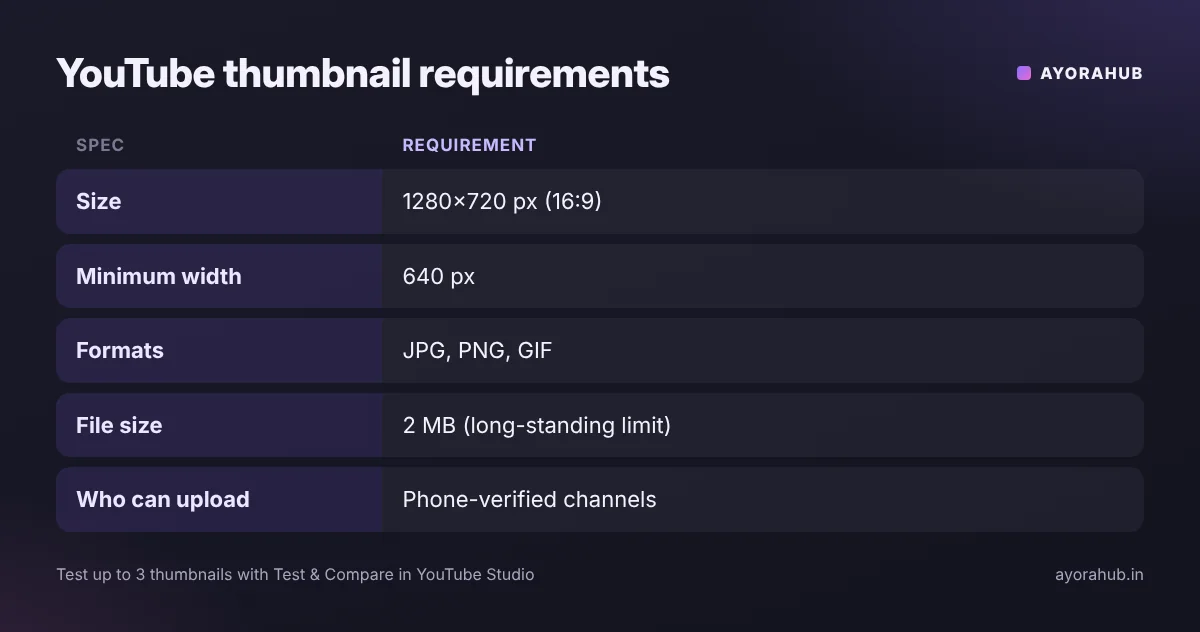
| Spec | Requirement |
|---|---|
| Recommended size | 1280×720 px (16:9); some guides now suggest higher resolution such as 3840×2160 for sharpness |
| Minimum width | 640 px |
| Formats | JPG, PNG, GIF (BMP also listed by some guides) |
| File size | 2 MB is the long-standing limit; reports differ on newer, higher limits — check YouTube Help |
| Who can upload | Phone-verified channels (Studio → Settings → Channel → Feature eligibility) |
Step-by-step: how to create a YouTube thumbnail (free)
- Take a dedicated photo while filming — a clear face or the key object, well lit. Video screenshots are often blurry.
- Open a design tool such as Canva (free plan), Adobe Express, Photopea (free, browser-based) or GIMP.
- Create a 1280×720 canvas.
- Place one main subject large on one side.
- Add 2–4 words in a bold, thick font — not the full title. Example: video title “How to Make a Resume in Canva” → thumbnail text “RESUME IN 10 MIN”.
- Boost contrast: bright subject on a simple background; avoid colours that blend with YouTube’s interface.
- Check at small size: zoom out to about 20% — if you can’t read it on a phone, simplify.
- Export as JPG or PNG within the size limit.
- Upload in YouTube Studio → Content → select video → Thumbnail → Upload file.
Design principles that work
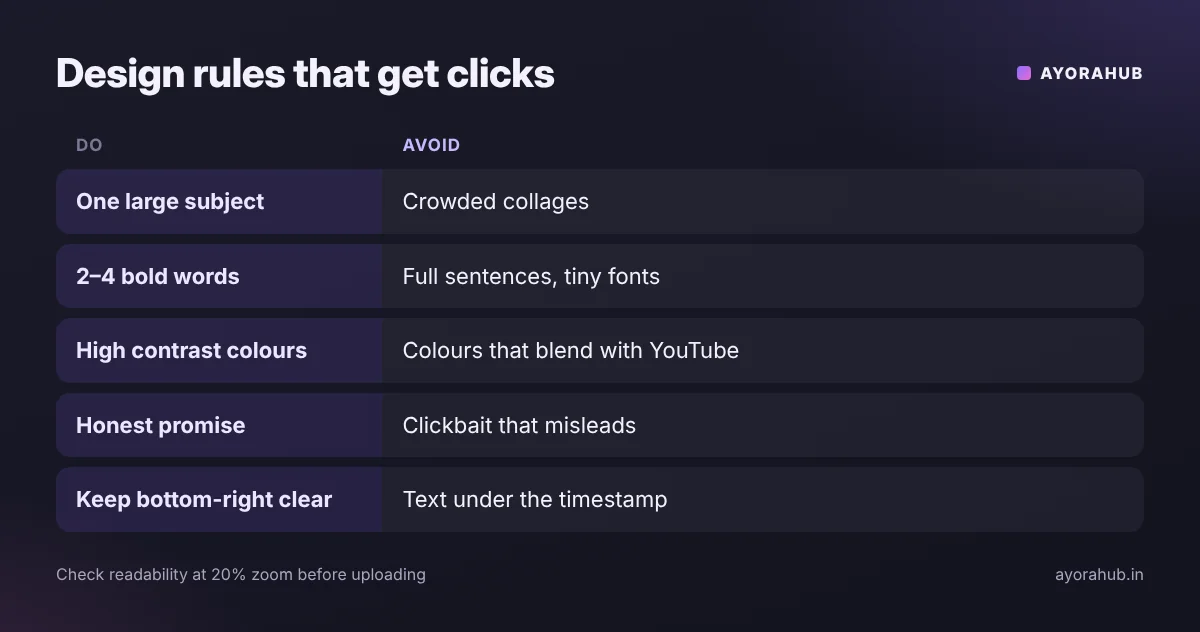
- One focal point: a face with clear emotion or the main object.
- Few words: the thumbnail and title should complement, not repeat, each other.
- Bottom-right corner: YouTube shows the video length there — keep important elements away from it.
- Consistency: a recognisable style (colours, font, layout) helps returning viewers spot your videos.
- Honesty: the thumbnail must reflect what’s in the video — misleading thumbnails can violate YouTube policy and hurt retention.
Example: for a “best budget phones under ₹20,000” video, a strong thumbnail shows three phones side by side, a big “₹20K” label and the creator pointing at one phone — simple, readable and honest. A weak one crams in eight phones, a long sentence and small text.
A/B test thumbnails with Test & Compare
- In YouTube Studio, open the video’s details and choose Test & Compare in the thumbnail section.
- Upload up to three thumbnails (all meeting the size rules).
- YouTube shows them to different viewers and picks a winner based on its performance metric (reported as watch-time based).
- Use what you learn — style, faces, text — on future thumbnails.
Free and paid thumbnail tools
| Tool | Price | Best for |
|---|---|---|
| Canva | Free plan + paid Pro | Templates, easy background removal (Pro) |
| Adobe Express | Free plan + paid | Quick designs, Adobe fonts |
| Photopea | Free (browser) | Photoshop-style editing without installing |
| GIMP | Free (desktop) | Advanced editing, open source |
| AI image tools | Free/paid | Backgrounds and concepts — see Adobe Firefly and Midjourney |
Thumbnail styles that work by niche
| Niche | Style that usually reads well | Example text |
|---|---|---|
| Tutorials / tech | Result or product large, short benefit text | “FIX IN 2 MIN” |
| Education | Simple diagram or before/after with a question | “WHY 0.1+0.2≠0.3?” |
| Reviews / comparisons | Two items side by side, clear “VS” or verdict | “WORTH IT?” |
| Vlogs / travel | Expressive face plus location visual | “₹500 IN GOA?” |
| Cooking | Close-up of the finished dish, minimal text | “10-MIN PANEER” |
Thumbnail checklist
- ☐ 1280×720, 16:9, within the file-size limit.
- ☐ One main subject, large and in focus.
- ☐ Maximum four words; readable at 20% zoom.
- ☐ Strong contrast between subject, text and background.
- ☐ Nothing important in the bottom-right corner.
- ☐ Matches what actually happens in the video.
- ☐ Works together with the title (not a repeat of it).
- ☐ You own or have rights to every image used.
Advantages and disadvantages of custom thumbnails
| Advantages | Disadvantages |
|---|---|
| Higher, more consistent click-through | Takes 15–30 minutes per video |
| Builds a recognisable brand | Misleading thumbnails can backfire |
| Can be tested and improved | Requires phone verification |
Common mistakes
- Too much text or tiny fonts.
- Low-contrast colours that disappear on a phone.
- Copying another creator’s thumbnail or using copyrighted images.
- Clickbait that doesn’t match the video.
- Placing key details in the bottom-right corner where the timestamp sits.
Safety and policy
- Thumbnails must follow YouTube’s Community Guidelines — no sexual, violent or shocking imagery meant to mislead.
- Only use photos you own or have rights to; free stock sites must allow commercial use.
Beginner tips
- Make two versions and choose the one that reads better at small size.
- Use a template so each thumbnail takes less time.
Advanced tips
- Check impressions click-through rate in YouTube Studio; update thumbnails on older videos with good impressions but low CTR.
- Design the title and thumbnail together before filming — it sharpens the video idea.
Frequently Asked Questions
What is the best YouTube thumbnail size?
1280×720 pixels (16:9), at least 640 px wide.
What is the maximum thumbnail file size?
The long-standing limit is 2 MB; some 2026 reports say larger files are accepted from a computer. Keep it under 2 MB to be safe.
Why can’t I upload a custom thumbnail?
Your channel needs phone verification. Check Studio → Settings → Channel → Feature eligibility.
Can I change a thumbnail after publishing?
Yes, at any time in YouTube Studio.
How many thumbnails can I test?
Up to three with YouTube’s Test & Compare feature.
What is the best free tool for YouTube thumbnails?
Canva’s free plan is the easiest for beginners; Photopea is a strong free option for more control.
Conclusion
Keep thumbnails simple, readable on a phone, and honest. Use one subject, a few bold words and strong contrast, then test variations with Test & Compare. Combine a strong thumbnail with a clear title — see how to rank YouTube videos — and start with a properly set-up channel.
How we researched this
We compiled thumbnail specifications and Test & Compare details from 2026 creator guides that cite YouTube Help. Sources disagree on the newest file-size and resolution recommendations and on the exact A/B testing metric; we show the long-standing safe values and flag the differences.
Comments are closed.