

Quick answer: To understand how to rank YouTube videos, start with how YouTube ranks search results using three broad signals: relevance (does your title, description and spoken content match the search?), engagement (do searchers click and keep watching?) and quality (does your channel show expertise and satisfy viewers on the topic?). To rank: target a specific search phrase, put it naturally in the title and first lines of the description, say it in the video, hook viewers in the first 30 seconds, add chapters and captions, and make a thumbnail people want to click.
YouTube is one of the most-used search engines in the world, and a well-ranked tutorial can bring views for years. But “YouTube SEO” is often misunderstood as stuffing tags. Tags matter far less than whether viewers find your video useful. Here is a practical process that works for small channels.
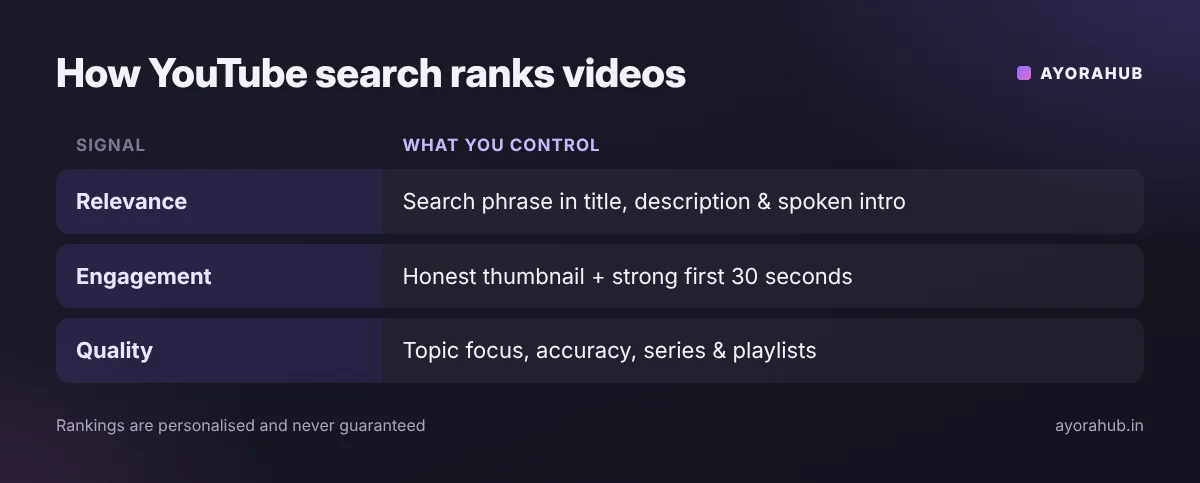
How YouTube search ranking works
| Signal | What YouTube looks at | What you control |
|---|---|---|
| Relevance | Title, description, spoken words/captions, how well the video matches the query | Clear title with the search phrase, a descriptive first paragraph, saying the topic out loud |
| Engagement | Clicks from search, watch time from that search, whether viewers continue watching | Thumbnail + title that match the promise; a strong opening; no filler |
| Quality | Signals that the channel is trustworthy and knowledgeable on the topic | Consistent topic focus, accurate information, series and playlists |
Third-party analyses commonly describe the system this way; YouTube’s own help pages also say search results are ranked by relevance, engagement and quality, and that results are personalised to each viewer.
Step-by-step: how to rank a YouTube video
1. Find a search phrase people actually use
- Type your topic into the YouTube search bar and note the autocomplete suggestions — they reflect real searches.
- Check YouTube Studio → Analytics → Research (where available) to see what your audience searches.
- Prefer specific phrases for a new channel: “how to make a resume in Canva for freshers” is easier to win than “resume”.
2. Check the competition
Search the phrase. If the top results are years old, short on detail, or from huge channels covering it vaguely, a focused, up-to-date video from you can compete.
3. Write the title
- Include the main phrase near the start, naturally: “How to Make a Resume in Canva (Freshers, 2026)”.
- Keep it under about 60–70 characters so it is not cut off.
- Promise a clear result — and deliver it in the video.
4. Write the description
- First 1–2 lines: summarise what the viewer will learn, including the phrase once.
- Add chapters (timestamps starting at 0:00) — they help viewers and can appear in search results.
- Link related videos and playlists.
5. Say the topic in the video
YouTube can understand spoken words. Say what the video covers in the first sentence: “In this video, I’ll show you how to make a resume in Canva step by step.”
6. Hook and hold attention
- Show the result in the first 10–15 seconds.
- Cut long intros, logos and “before we start, subscribe”.
- Deliver the steps in order with on-screen text.
7. Add captions, thumbnail and end screens
- Upload or correct captions — accurate captions help viewers and accessibility.
- Create a clear thumbnail — see how to create YouTube thumbnails.
- Use end screens to send viewers to your next video.
Real example
A new Hindi tech channel wanted to rank for “Gemini kaise use kare”. Instead of a generic “Gemini review”, the creator made “Gemini Kaise Use Kare – Mobile Par Step by Step (Hindi)”, said the phrase in the first line, added chapters for each feature, and linked a follow-up video on Gemini Live. A focused title, clear promise and chapters are what give a small channel a chance on specific searches. (Results vary; no method guarantees rankings.)
Tools that help
- YouTube Studio Analytics — traffic sources, search terms, audience retention (free).
- YouTube search autocomplete — free keyword ideas.
- Google Trends (YouTube Search filter) — compare interest over time.
- vidIQ / TubeBuddy — third-party keyword and competition tools (free and paid tiers).
- AI assistants — to brainstorm titles and outlines (check facts yourself): see the best AI chatbots.
YouTube SEO checklist (before you publish)
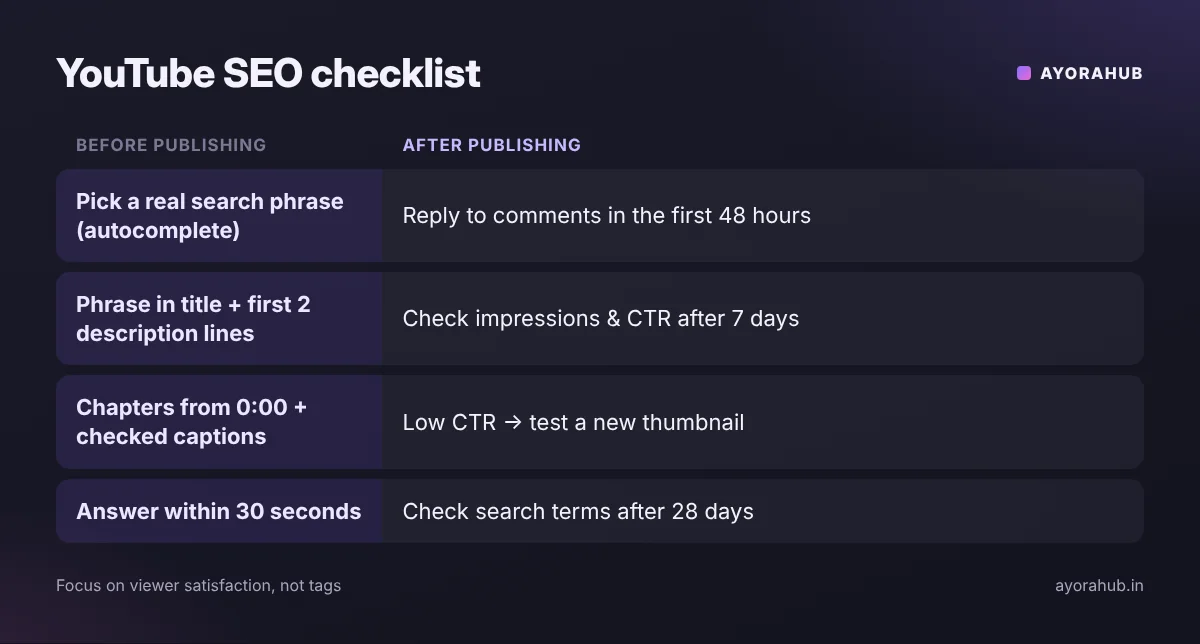
- ☐ One clear search phrase chosen from autocomplete or Studio Research.
- ☐ Title includes the phrase naturally, near the start, under ~70 characters.
- ☐ Description’s first two lines say what the viewer will learn.
- ☐ Chapters added (first timestamp 0:00, at least three chapters).
- ☐ You say the topic in the first sentence of the video.
- ☐ The answer or result appears in the first 30 seconds.
- ☐ Captions checked for errors (especially names and technical terms).
- ☐ Custom thumbnail readable at phone size.
- ☐ Added to a relevant playlist; end screen points to a related video.
- ☐ Pinned comment with a question to encourage discussion.
What to do after publishing
- First 48 hours: reply to comments and share the video where your audience already is (community posts, social media, relevant groups — without spamming).
- After 7 days: check impressions, click-through rate and average view duration in Studio.
- If impressions are high but clicks are low: test a new thumbnail or title.
- If clicks are fine but viewers leave early: your opening didn’t match the promise — fix it in the next video.
- After 28 days: look at the “YouTube search” traffic source to see which terms bring viewers, then make follow-up videos on related searches.
Advantages and limits of YouTube SEO
| Advantages | Limits |
|---|---|
| Search traffic lasts for years | Results are personalised — rankings differ by viewer |
| Works for small channels on specific topics | Metadata can’t rescue a video people stop watching |
| Free tools are enough to start | Competitive head terms take time and authority |
Common mistakes
- Keyword stuffing in titles, descriptions or tags — it reads as spam and can violate YouTube’s spam policies.
- Clickbait — a misleading title gets clicks but viewers leave quickly, which hurts.
- Long intros before the useful part.
- Chasing tags — tags mainly help with misspellings; spend the time on the video instead.
- Deleting and re-uploading videos repeatedly to “reset” them.
Beginner tips
- One video = one clear search question.
- Answer the question early, then go deeper.
- Make a playlist for every series.
Advanced tips
- Study audience retention: where viewers drop, cut or tighten that type of section in future videos.
- Update titles and thumbnails of older videos that get impressions but few clicks.
- Build topic clusters: several videos on related searches, all linked through playlists and end screens.
Frequently Asked Questions
How do I rank my YouTube video on the first page?
Target a specific search phrase, put it naturally in the title and description, say it in the video, hook viewers early, and make a clear thumbnail. Rankings are personalised and never guaranteed.
Do YouTube tags still matter?
Much less than titles, descriptions and viewer engagement. They mainly help with common misspellings.
How long does it take for a video to rank?
It varies. Some videos rank within days for specific searches; competitive topics can take months.
Does video length affect ranking?
Not directly. What matters is whether viewers watch and are satisfied — make the video as long as the topic needs and no longer.
Should I use hashtags?
A few relevant hashtags are fine; using too many can cause YouTube to ignore them.
Do Shorts help long videos rank?
Shorts can bring new viewers to your channel, which can lead them to your long videos. See how to create YouTube Shorts.
Conclusion
YouTube SEO is mostly about matching a real search with a video that delivers quickly and clearly. Get the title, description and spoken intro aligned with the search, earn the click honestly, and keep viewers watching. Start with specific searches, then expand into related topics. New here? Start with how to create a YouTube channel.
How we researched this
We combined YouTube’s public description of how search and discovery work with 2026 analyses from creator-tool companies and SEO publications. Third-party sources disagree on the weight of individual signals (for example, tags), so we focus on practices they consistently agree on.
Comments are closed.