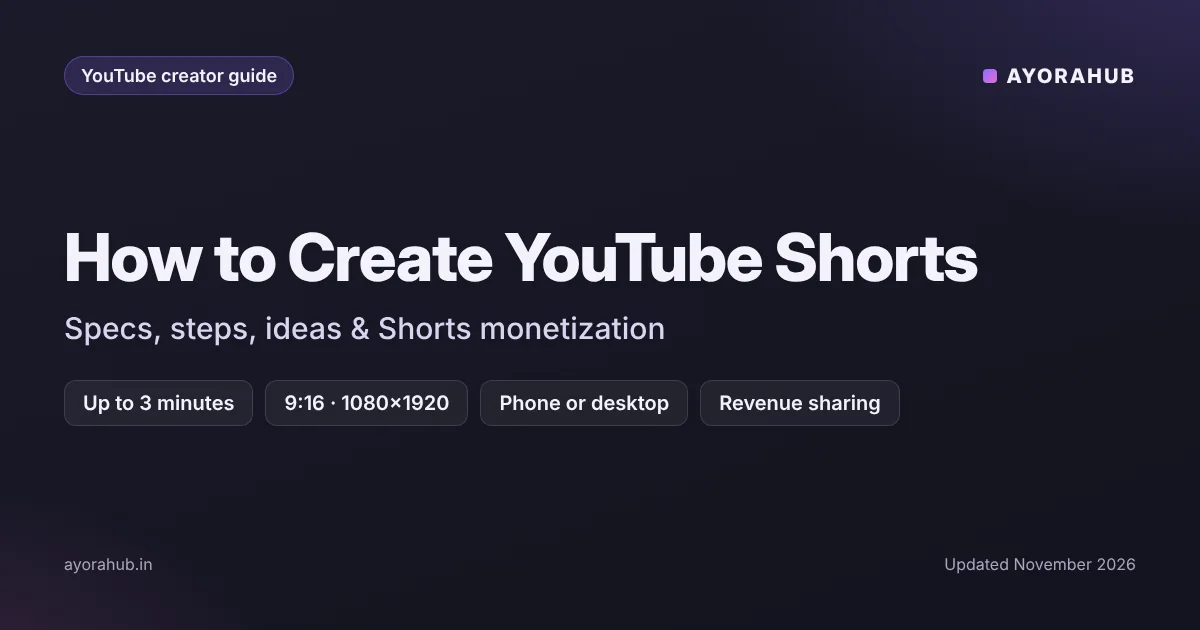
Quick answer: A YouTube Short is a vertical (9:16) or square video up to 3 minutes long (for uploads since 15 October 2024). Here’s how to create YouTube Shorts: open the YouTube app, tap + → Create a Short, record or upload clips, add music, text and effects, then publish. You can also upload a vertical video under 3 minutes from YouTube Studio on a computer. The recommended resolution is 1080×1920. Shorts can earn money through Shorts revenue sharing once you join the YouTube Partner Program.
Shorts are the fastest way for a new channel to get discovered — but views don’t automatically become subscribers. This guide covers how to create Shorts, the specs that matter, and how to make them work for your whole channel.
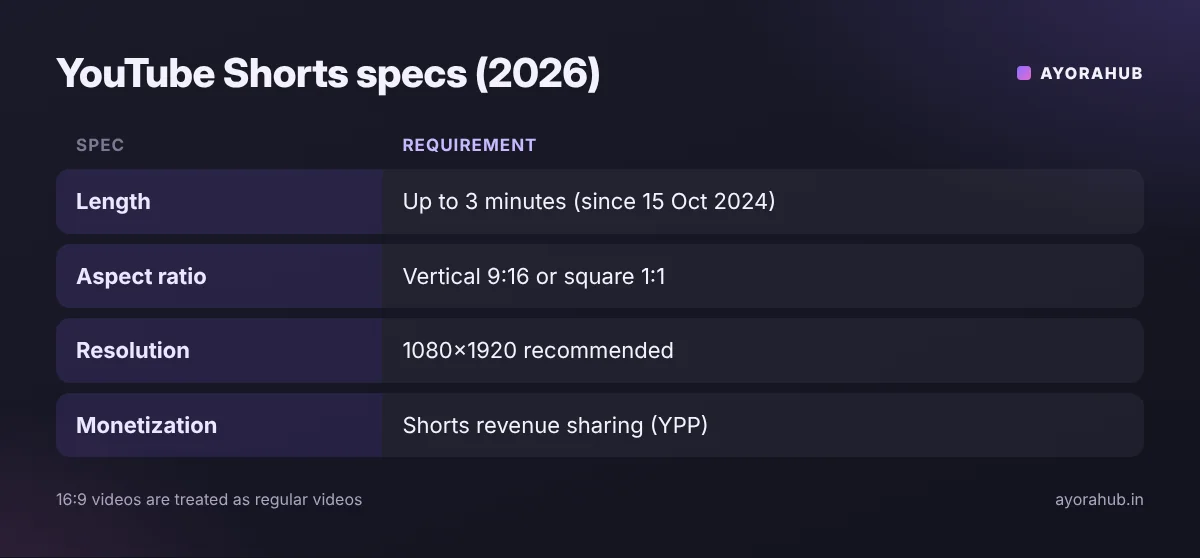
YouTube Shorts specs (2026)
| Spec | Requirement |
|---|---|
| Length | Up to 3 minutes (uploads from 15 Oct 2024); no published minimum |
| Aspect ratio | Vertical 9:16 or square 1:1 (16:9 videos are treated as regular videos) |
| Recommended resolution | 1080×1920 |
| Music | Use YouTube’s library in the Shorts camera; longer Shorts with copyrighted music may be blocked |
| Monetization | Shorts revenue sharing for YPP members |
Step-by-step: how to create a YouTube Short on your phone
- Open the YouTube app and tap + → Create a Short.
- Choose the length (the timer at the top) and record — tap to start and stop to record several clips.
- Or tap the gallery icon to upload clips from your phone.
- Add sound (music from the library or a voiceover), text, filters and timeline edits.
- Tap Next, write a short, clear title, choose visibility and audience (made for kids or not), then Upload Short.
How to upload a Short from a computer
- Edit a vertical (or square) video up to 3 minutes in any editor.
- Go to YouTube Studio → Create → Upload videos.
- Add the title and description, then publish. YouTube automatically classifies eligible vertical videos as Shorts.
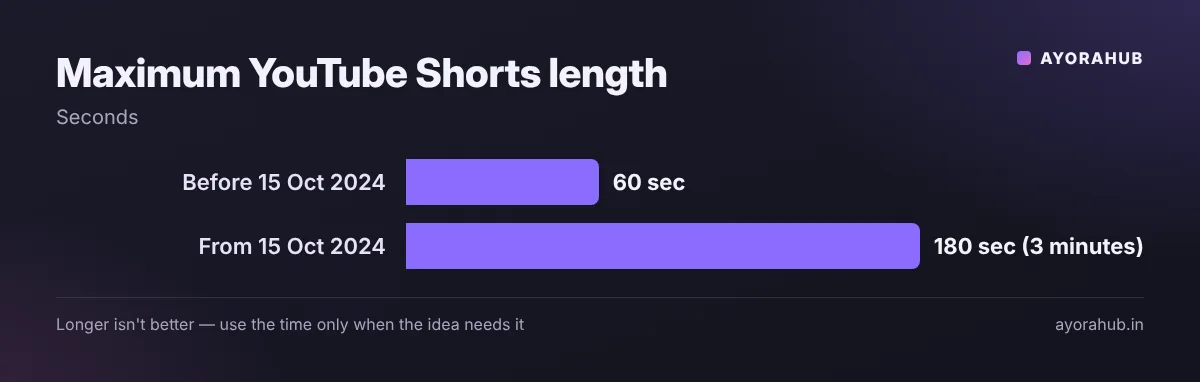
What makes a Short work
- Hook in the first 1–2 seconds: start with the most interesting moment or the result.
- One idea per Short: one tip, one fact, one before/after.
- Readable text: keep captions inside the centre — buttons and the title cover the edges and bottom.
- Loop-friendly endings: an ending that flows back into the start encourages rewatching.
- Length to fit the idea: now that Shorts can be 3 minutes, use the time only when the content needs it.
Example: a cooking channel turns a 12-minute recipe video into three Shorts: “the 20-second version of the recipe”, “the one mistake that ruins it”, and “plating in 15 seconds” — each linking to the full video.
Connect Shorts to your long videos
- Use the related video link option on a Short to point viewers to a full video.
- Make Shorts from your long videos (YouTube Studio offers tools to create Shorts from existing videos).
- Keep the same topic as your main channel — random viral Shorts bring viewers who won’t watch your long videos.
How Shorts make money
Shorts ads revenue is pooled and shared among eligible creators based on their share of Shorts views, after music licensing costs. Creators in the YouTube Partner Program can earn from it. You can also join through the Shorts path: 10 million public Shorts views in 90 days plus 1,000 subscribers today — reportedly rising to 20 million for new applicants from 1 February 2027. Details: how to monetize a YouTube channel.
Shorts ideas by niche
| Niche | Shorts ideas that fit |
|---|---|
| Tech | One hidden phone feature; “do this before you sell your phone”; 30-second app comparison |
| Education | One concept explained with a drawing; one exam trick; common mistake and correction |
| Cooking | Full recipe sped up; one technique close-up; “3 ingredients only” dishes |
| Fitness | One exercise done right vs wrong; 60-second routine; myth vs fact |
| Finance | One money term explained; one budgeting rule; “what I’d do with my first salary” (no guaranteed-return claims) |
| Gaming | One clutch moment with commentary; one settings tip; patch change in 30 seconds |
A simple Shorts script template
- Hook (0–2 s): show the result or say the surprising point. “This one setting doubles your phone’s battery life.”
- Context (2–8 s): why it matters, in one line.
- Steps or payoff (8–45 s): show it, with on-screen text for each step.
- Close (last 3 s): a natural loop back to the start, or “full guide linked above”.
Write the hook first — if you can’t make the first two seconds interesting, pick a different idea.
Advantages and disadvantages of Shorts
| Advantages | Disadvantages |
|---|---|
| Fast discovery for new channels | Lower earnings per view than long videos (typically) |
| Easy to make on a phone | Viewers may not subscribe or watch long videos |
| Good for testing ideas quickly | Copyrighted music can block longer Shorts |
Common mistakes
- Uploading horizontal clips and expecting them to be Shorts.
- Re-uploading TikTok or Reels videos with another app’s watermark.
- Slow starts — viewers swipe away within seconds.
- Posting random viral trends unrelated to your channel’s topic.
- Using unlicensed music in Shorts longer than one minute.
Safety and policy
- Shorts follow the same Community Guidelines as long videos.
- Label realistic AI-generated or altered content where YouTube requires it (Studio asks during upload).
- Don’t show personal information on screen.
Beginner tips
- Post consistently — e.g. 3 Shorts a week on one theme.
- Use on-screen captions; many people watch without sound.
- Reply to comments with a new Short (YouTube supports video replies).
Advanced tips
- Check the “viewed vs swiped away” metric in Shorts analytics to judge your hooks.
- Turn your best-performing Short topics into full-length videos.
- Test 30-second vs 90-second versions of similar ideas and compare retention.
Frequently Asked Questions
How long can a YouTube Short be?
Up to 3 minutes for videos uploaded from 15 October 2024.
What size should a YouTube Short be?
Vertical 9:16, ideally 1080×1920 pixels. Square videos also qualify.
Can I upload Shorts from a computer?
Yes. Upload a vertical or square video up to 3 minutes in YouTube Studio; it is classified as a Short automatically.
Do Shorts earn money?
Yes, through Shorts revenue sharing for YouTube Partner Program members.
Do Shorts help grow a channel?
They help with discovery, especially when they match your channel’s topic and link to related long videos.
Why is my Short not showing in the Shorts feed?
Check that it is vertical or square and under 3 minutes. Very new uploads can take time to be distributed.
Conclusion
Treat Shorts as the front door to your channel: short, focused, on-topic, and connected to your long videos. Start with one theme, post consistently, and use analytics to improve your hooks. Next, read how to rank YouTube videos and how to create thumbnails for your long videos.
How we researched this
We used YouTube’s published Shorts specifications (as summarised in 2026 creator guides) and current reporting on Shorts monetization and the announced 2027 Partner Program changes. Feature names in the YouTube app change regularly; check YouTube Help if a button looks different.