Quick answer (updated November 2026): What is GitHub? GitHub is a website, owned by Microsoft since 2018, where people store and share code and work on it together. It is built on Git, a free version-control tool that records every change to your files. On GitHub you create repositories (project folders), save changes as commits, and propose changes with pull requests. Its free plan also covers Issues, GitHub Pages websites, Actions automation and Copilot Free, which GitHub lists as up to 2,000 code completions a month plus limited chat. If GitHub seems down, check githubstatus.com. Students can apply for the free GitHub Student Developer Pack.
GitHub is consistently the top search in programming categories, and “github status” and viral repos like Reverse Engineer Anything are pushing it even higher. If you are a student or beginner, this guide explains GitHub without jargon and gets you to your first repository in about ten minutes.
Git vs GitHub: what’s the difference?
| Git | GitHub | |
|---|---|---|
| What it is | Version-control software you install on your computer | A website/service that hosts Git repositories online |
| Made by | Linus Torvalds (2005), open source | GitHub, Inc., owned by Microsoft |
| Works offline? | Yes | No — it’s online (with Desktop and mobile apps) |
| Main job | Track changes, branches, history | Share code, collaborate, review, automate, showcase |
Alternatives to GitHub include GitLab and Bitbucket, but GitHub is by far the most popular place for open-source projects.
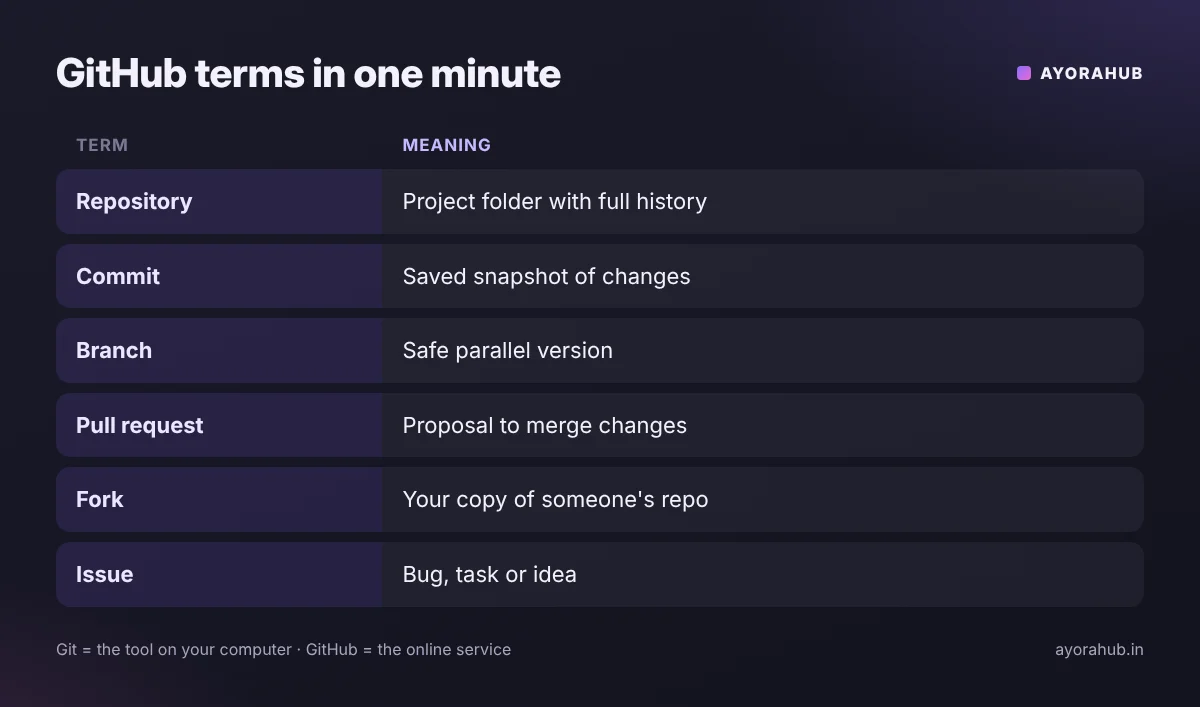
Key GitHub terms explained
- Repository (repo): a project folder with all its files and full change history.
- Commit: a saved snapshot of your changes, with a message describing them.
- Branch: a parallel version of the project to try changes safely;
mainis the default. - Pull request (PR): a request to merge your branch’s changes, where others review and comment.
- Fork: your own copy of someone else’s repo, used to contribute to open source.
- Clone: downloading a repo to your computer.
- Issue: a bug report, task or idea attached to a repo.
- Star: a bookmark that also shows a project’s popularity.
- README: the front page of a repo explaining what it is and how to use it.
How to create your first repository (step by step)
- Sign up at github.com with your email; choose a professional username (it appears in your profile URL).
- Turn on two-factor authentication in Settings → Password and authentication.
- Click + → New repository, give it a name, choose Public or Private, and tick Add a README.
- Edit the README in the browser and click Commit changes — that’s your first commit.
- Get it on your computer: install GitHub Desktop (easiest) or Git, then clone the repo.
- Make changes locally, commit, and push them back to GitHub. With Git on the command line:
git clone https://github.com/your-name/your-repo.git cd your-repo # edit files… git add . git commit -m "Add my first program" git push - Pin your best repos on your profile — recruiters look at them.
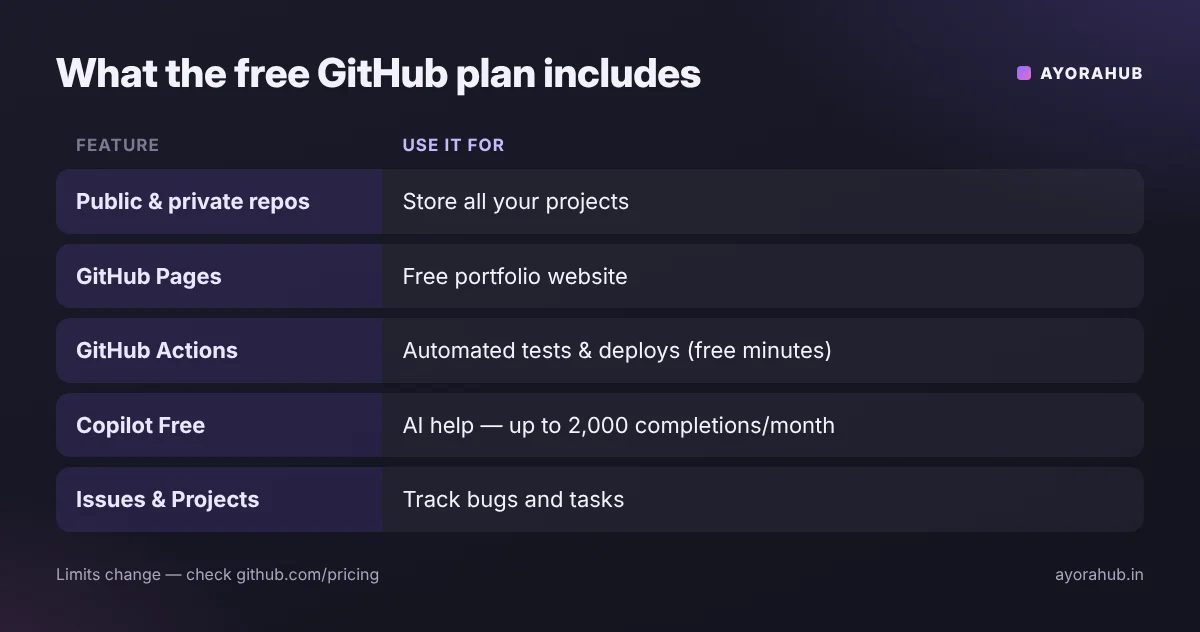
What can you do with GitHub for free?
| Feature | What it does |
|---|---|
| Public and private repositories | Store unlimited projects |
| Issues and Projects | Track bugs and tasks; simple Kanban boards |
| GitHub Pages | Free static website hosting, e.g. your portfolio at username.github.io |
| GitHub Actions | Automate tests and deployments (free minutes included; public repos get more) |
| Copilot Free | AI coding help — GitHub lists up to 2,000 completions a month and limited chat/agent use |
| Codespaces | A cloud coding environment in the browser (limited free usage) |
Limits change; check github.com/pricing for current details. For more on the AI side, see our GitHub Copilot guide.
Is GitHub down? How to check GitHub status
- Open githubstatus.com — GitHub’s official status page lists each service (Git operations, API, Actions, Pages, Copilot…) and any incidents.
- If everything is green, the problem is likely on your side: check your internet, VPN, login (two-factor), or Git credentials.
- For “permission denied” on push, make sure you are using a personal access token or SSH key — GitHub does not accept account passwords for Git operations.
GitHub for students
- The GitHub Student Developer Pack (education.github.com) offers free access to developer tools for verified students.
- Use GitHub as your portfolio: 3–5 well-documented projects beat 50 empty repos.
- Contribute to open source by starting with issues labelled “good first issue”.
Safety tips
- Never commit passwords, API keys or
.envfiles. Use a.gitignore. If you leak a key, revoke it immediately — deleting the commit is not enough. - Beware of fake repositories that copy popular projects and add “installer” downloads. Check the owner, star history and official links.
- Read code before running scripts from unknown repos.
- Enable two-factor authentication — GitHub requires it for many contributors.
Common beginner mistakes
- Uploading files through the browser forever instead of learning basic Git.
- Giant commits with messages like “update” — commit small, describe clearly.
- No README — nobody understands the project.
- Working directly on
mainin team projects instead of using branches and pull requests.
Frequently Asked Questions
What is GitHub used for?
Storing code online, tracking changes, collaborating through pull requests, hosting websites with GitHub Pages, automating with Actions and showing your work to employers.
Is GitHub free?
Yes, the free plan includes unlimited public and private repositories and many features. Paid plans add more automation minutes, storage and team features.
Is GitHub the same as Git?
No. Git is the version-control tool; GitHub is an online service built around Git.
Who owns GitHub?
Microsoft, which acquired GitHub in 2018.
How do I know if GitHub is down?
Check githubstatus.com, GitHub’s official status page.
Do I need to know coding to use GitHub?
Not to start — writers and designers use it too — but it is most useful once you learn basic programming. See how to learn programming.
Conclusion
GitHub is where modern software lives. Create an account, turn on two-factor authentication, push your first project with a clear README, and keep adding small projects. Pair it with an AI assistant like Copilot — but understand every line you commit. If you build websites, start with PHP or JavaScript and publish your portfolio on GitHub Pages.
How we researched this
We used GitHub’s official documentation, pricing and Copilot plan pages, and its status page, checked in November 2026. Free-tier limits change often; confirm on GitHub before relying on them.