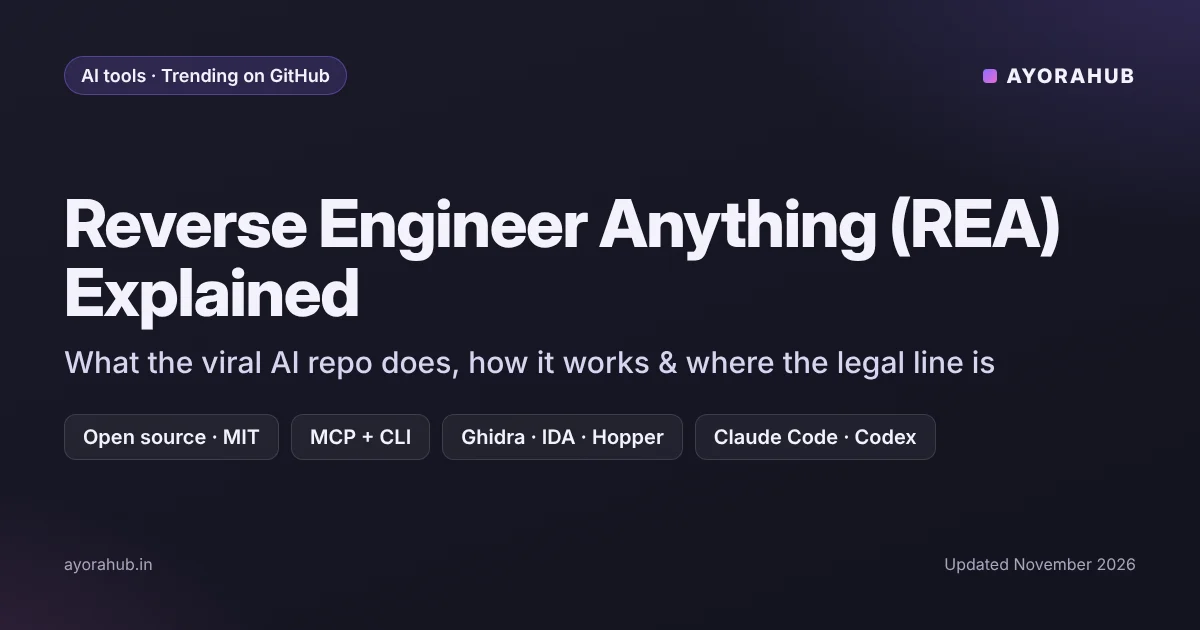
Quick answer (updated November 2026): Reverse Engineer Anything (REA) is a free, open-source MCP server and command-line tool published on GitHub by morluto. It connects AI coding agents such as Claude Code, Codex, Cursor and Gemini CLI to existing reverse-engineering tools such as Ghidra, IDA and Hopper. You can then ask the agent to analyse how an app, website, .NET program or native binary works. It is MIT-licensed and is set up with npx rea-agents setup (Node.js 22.19+). It does not recover a program’s original source code, and it does not make reverse engineering legal where a licence or law forbids it. Only analyse software you own or have permission to study, and install only from the official repository — lookalike repos have appeared.
“Reverse engineer anything” became one of the fastest-rising tech searches of autumn 2026 as the repository went viral among developers. This guide explains in plain language what REA is, how it works, who it is for, and the legal and safety lines you should not cross.
What is REA (Reverse Engineer Anything)?
Reverse engineering means working out how a piece of software works without having its source code — for example, to fix compatibility problems, audit security or understand an undocumented file format. Traditionally this needs specialist tools (disassemblers and decompilers such as Ghidra or IDA) and a lot of manual effort.
REA adds an AI agent layer on top. It is an MCP server — MCP (Model Context Protocol) is a standard way to give AI agents access to tools — plus a CLI. Once installed, your coding agent can call reverse-engineering workflows directly, read the results and explain them, instead of you driving every tool by hand.
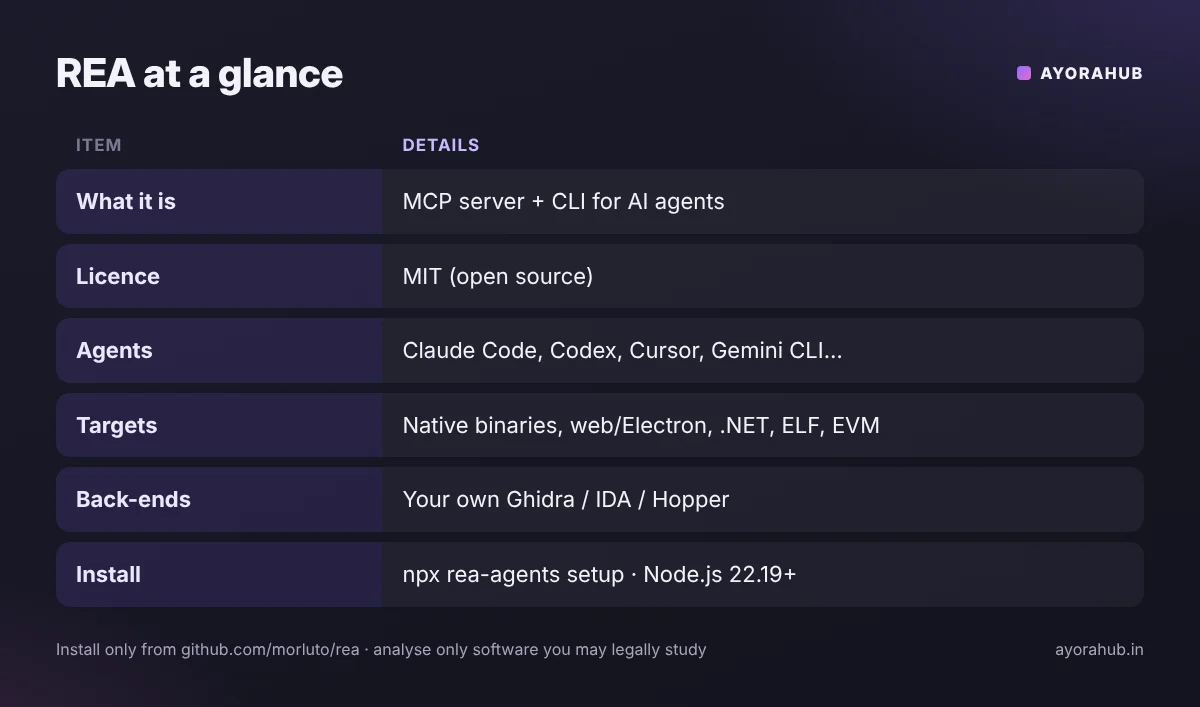
| Item | Details (from the project README and coverage) |
|---|---|
| Official repository | github.com/morluto/rea · npm package rea-agents |
| Licence | MIT (for REA-authored code) |
| What it is | MCP server + CLI that gives AI agents reverse-engineering workflows |
| Agents supported by setup | Claude Code, Codex, Cursor, Gemini CLI, Grok Build and others |
| Targets | Native binaries, JavaScript/Electron apps, .NET assemblies, websites, offline ELF analysis, EVM bytecode |
| Native analysis back-ends | Uses your existing Ghidra, IDA, Hopper or similar install — none are bundled |
| Requirements | Node.js 22.19+ (or 24.11+ / 26+); Ghidra needs a full JDK 21+ |
| Runs | Locally on your computer |
How does REA work?
- Setup registers REA with your agents.
npx rea-agents setupadds the MCP server and matching workflow instructions to supported agents, backing up existing configuration. (One tutorial reports that on Windows you may need to register it manually.) - You ask a question in plain language, for example “explain how this Electron app stores its settings”.
- The agent calls REA’s tools, which in turn use the right back-end — a JavaScript bundle inspector for web and Electron apps, a .NET decompiler for assemblies, or Ghidra/IDA/Hopper for native code.
- The agent reads the output and summarises it, and can keep digging (functions, strings, network calls) as you ask follow-up questions.
The command rea doctor checks whether your environment (Node.js, Java, installed disassemblers) is ready.
Who is REA useful for?
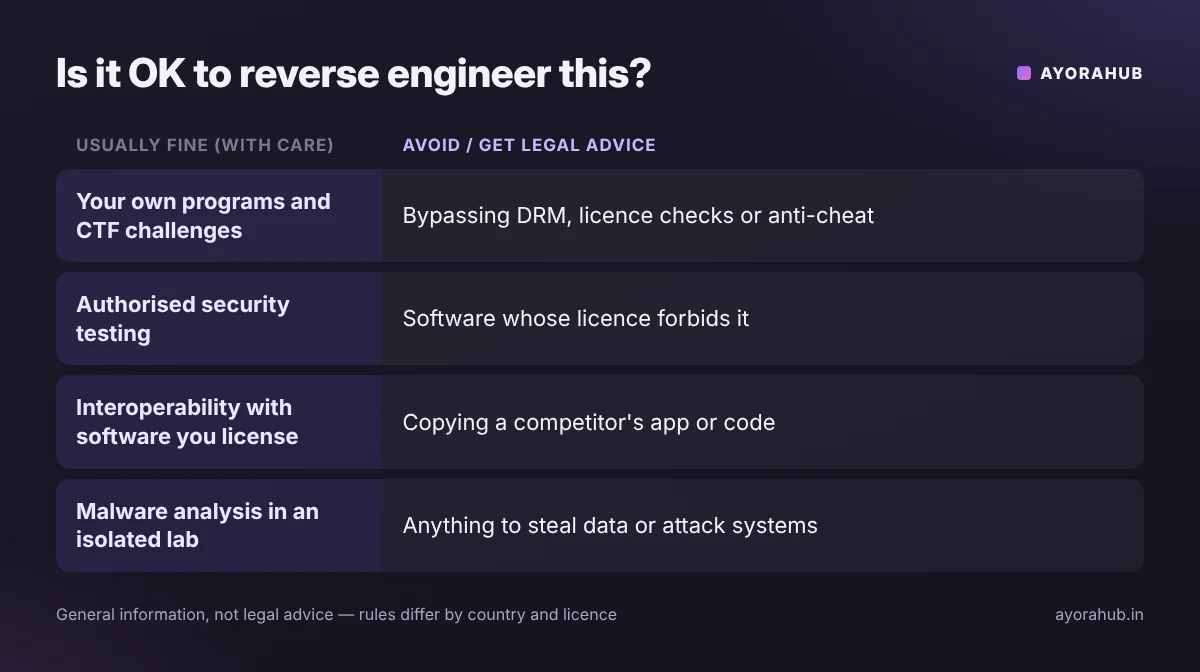
- Security researchers and penetration testers auditing software they are authorised to test.
- Developers fixing interoperability with an old, undocumented program or file format their company owns or licenses.
- Malware analysts working in isolated lab environments.
- Students learning how compiled programs work, using their own programs or CTF (capture-the-flag) challenges.
It is not a one-click “copy any app” tool. Some blog posts describe REA as a way to clone a competitor’s app; that framing is misleading. REA helps you understand behaviour — and copying another company’s code or design can break copyright law and licence terms.
Is reverse engineering legal?
It depends on your country, the software’s licence and your purpose. General points (not legal advice):
- Your own software or permission: analysing code you wrote, own the rights to, or have written permission to test is the safe zone.
- Interoperability and security research are recognised purposes in many legal systems — for example, India’s Copyright Act allows acts needed to obtain information essential for interoperability of an independently created program, and other countries have similar limited exceptions.
- Licences (EULAs) often forbid reverse engineering. Breaking them can be a breach of contract even where copyright law allows it.
- Bypassing protection — DRM, licence checks, anti-cheat — is restricted in many countries and is how people get into real trouble.
- Never use REA to pirate software, cheat in online games, steal credentials or attack systems you do not own.
If the work is for a company or a client, get written authorisation and, where needed, legal advice before you start.
How to try REA safely (overview)
- Use a test machine or virtual machine — never analyse unknown files on your main computer.
- Install only from the official source: the GitHub repository
morluto/reaor therea-agentsnpm package. Coverage reports a lookalike repo with “download/installer” tags appeared on 10 October 2026 — fake repos are a common way to spread malware. - Install prerequisites: Node.js (22.19+), and if you need native analysis, Ghidra with a full JDK 21+ (or your licensed IDA/Hopper).
- Run setup and
rea doctor, then start with a program you wrote yourself, such as a small “hello world” binary. - Review what the agent runs. AI agents can execute commands; keep approval prompts on and read them.
Advantages and limitations
| Advantages | Limitations |
|---|---|
| Free and open source (MIT) | Does not recover original source code — output is analysis and reconstruction |
| Works with popular agents and existing tools | Native analysis needs Ghidra/IDA/Hopper installed separately |
| Runs locally | Agent explanations can be wrong — verify findings |
| Covers web, Electron, .NET and native code | Easy to misuse; legal limits still apply |
Common mistakes
- Downloading from a “REA installer” site or fork instead of the official repo.
- Running unknown binaries outside a sandbox.
- Trusting the AI’s summary blindly — check important claims in the disassembler yourself.
- Assuming “open-source tool” means “anything goes” — the tool’s licence says nothing about the licence of the software you analyse.
Beginner and advanced tips
- Beginners: learn the basics of how programs are compiled and what a disassembler shows before relying on an agent. Free CTF challenges are a legal way to practise.
- Advanced users: keep notes of agent sessions, cross-check decompiled output in Ghidra/IDA, and limit the agent’s file-system and network access during malware work.
Frequently Asked Questions
What is Reverse Engineer Anything on GitHub?
REA is an open-source MCP server and CLI (MIT licence) that lets AI coding agents run reverse-engineering workflows on apps, websites, .NET programs and native binaries, using tools like Ghidra, IDA or Hopper.
Is REA free?
Yes, REA itself is free and open source. You still need your own AI agent subscription or API access, and commercial disassemblers such as IDA Pro are paid; Ghidra is free.
Which AI agents work with REA?
Its setup supports Claude Code, Codex, Cursor, Gemini CLI, Grok Build and others that use MCP.
Can REA give me the source code of any app?
No. It helps analyse and explain behaviour; the project does not claim to recover original source code.
Is it legal to use REA?
The tool is legal to download. Using it is legal or illegal depending on what you analyse, your licence terms and local law. Stick to software you own or are authorised to test.
How do I avoid fake REA downloads?
Use only github.com/morluto/rea or the official rea-agents npm package. Ignore sites offering “REA installers” or .exe downloads.
Conclusion
REA shows where AI coding agents are heading: from writing code to understanding existing software. Used responsibly — on your own programs, authorised targets and learning challenges — it can save hours. Used carelessly, it carries security and legal risks. Learn more about the agents it connects to in our guides to Claude, GitHub Copilot and AI coding tools, and if you are new to GitHub, start with what GitHub is and how it works.
How we researched this
We used the project’s official README on GitHub and coverage by InfoQ and developer publications up to November 2026. Some blogs describe REA differently from its README (for example as a “paste into ChatGPT” tool); we followed the README. We have not audited the code. This is general information, not legal advice.