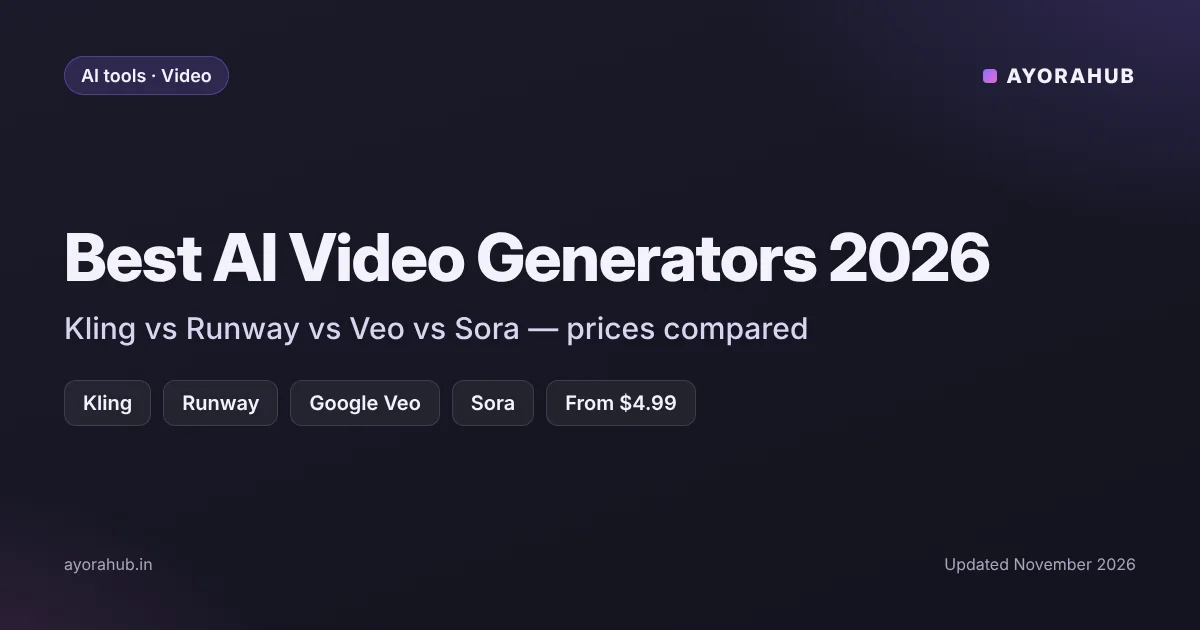
Quick answer (updated November 2026): For most people, Kling is the cheapest way to start making AI videos (from about $10/month), Runway is the best all-round creative tool (from about $12–15/month), and Google Veo gives high-quality clips through Google’s AI plans — starting with Google AI Plus ($4.99/month, ₹399 in India). OpenAI’s Sora is the biggest question mark: reports in 2026 conflict on whether it is still sold to consumers, so check before you pay.
Best AI video generators in 2026: comparison table
| Tool | Made by | Entry paid plan (as reported) | Best for | Free option |
|---|---|---|---|---|
| Kling | Kuaishou | Standard ~$10/month (~$6.60 billed annually) | Cheapest realistic clips, beginners | Limited free credits |
| Runway | Runway | Standard ~$12–15/month | Creators who want editing tools plus generation | Limited free credits |
| Google Veo | Via Google AI plans – AI Plus $4.99/month (₹399 in India) | High quality, Google users | Limited, depends on plan | |
| Sora | OpenAI | Status unclear in 2026 (reports conflict) | ChatGPT users — check availability first | Free tier reportedly removed in Jan 2026 |
Prices are from 2026 pricing comparisons and can change quickly. Credits matter more than the monthly price — see below.
1. Kling – best budget AI video generator
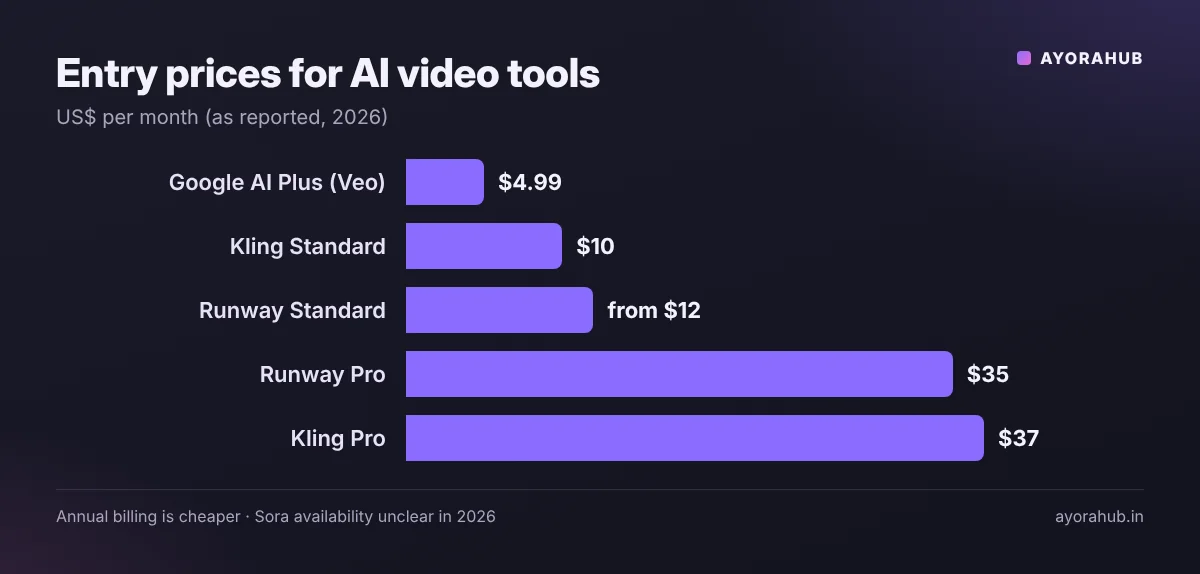
Kling has become popular because it gives realistic motion at the lowest entry price. Reported plans: Standard $10/month (about $6.60/month billed annually), Pro $37/month, Premier $92/month and Ultra $180/month. It is a good first choice if you want to experiment with short clips for Reels or Shorts without a big commitment.
2. Runway – best all-round creative tool
Runway combines video generation with editing tools, which makes it popular with creators and small agencies. Reported plans: Standard about $12–15/month, Pro about $35/month ($28 annually) and Max about $95/month ($76 annually). Runway uses credits: one 2026 estimate puts a 5-second clip on its newer model at about 60 credits. Our Runway guide covers its features in more detail.
3. Google Veo – best quality for Google users
Google’s Veo video model is available through Google’s AI subscriptions. The cheapest plan with video generation is Google AI Plus ($4.99/month in the US; ₹399/month in India, as reported), with more access on AI Pro and full access on AI Ultra. One estimate puts fast Veo clips at roughly $0.40–$0.50 each via paid access. See Gemini plans in India for what each plan includes.
4. Sora – check availability before you pay
OpenAI’s Sora was one of the most talked-about video models, but 2026 reports conflict: some say consumer access was discontinued and only pay-per-second API pricing remained, while others still list Sora access through ChatGPT Plus. One report says Sora removed its free tier in January 2026. Because of this, we do not recommend paying for any plan only for Sora until you confirm it inside your ChatGPT account.
Monthly price vs real cost: how credits work
Most AI video tools sell credits, not unlimited videos. A cheaper plan with fewer credits can cost more per clip than a pricier plan. Before you buy:
- Check how many seconds of video one month of credits actually gives you.
- Check whether higher quality (1080p, longer clips, newer models) uses more credits.
- Prefer annual billing only after you have tested the monthly plan — annual discounts are large but lock you in.
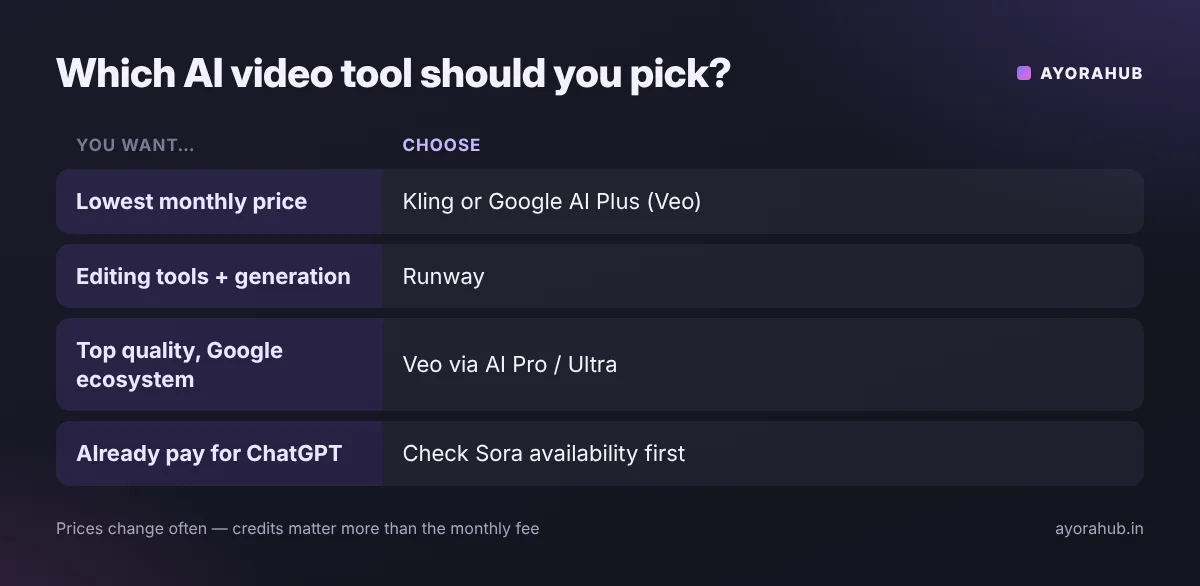
Which AI video generator should you choose?
| If you want… | Choose |
|---|---|
| The lowest monthly price | Kling or Google AI Plus (Veo) |
| Editing tools plus generation | Runway |
| Highest quality, Google ecosystem | Veo via Google AI Pro/Ultra |
| Already pay for ChatGPT | Check if Sora is available in your account first |
Making images instead of video? See our guides to Midjourney and Adobe Firefly, or the Midjourney vs Adobe Firefly comparison. For voiceovers, see ElevenLabs.
Tips for better AI videos
- Describe the shot like a director: subject, action, setting, camera movement, lighting and mood.
- Start short: generate 4–5 second clips, then extend the ones that work.
- Use a reference image when the tool supports image-to-video — it keeps characters and products consistent.
- Check the licence: make sure your plan allows commercial use before using clips in ads or client work.
- Label AI content where platforms require it (YouTube and Instagram have AI disclosure settings).
Frequently Asked Questions
What is the best AI video generator in 2026?
Runway is the best all-rounder for creators, Kling is the best budget option, and Google Veo offers top quality through Google’s AI plans.
Which AI video generator is free?
Most offer limited free credits rather than a full free plan. Free allowances change often, so check each tool’s current offer.
What is the cheapest AI video generator?
Among major tools, Kling’s Standard plan (~$10/month, less when billed annually) and Google AI Plus ($4.99/month; ₹399 in India) are the cheapest entry points reported in 2026.
Is Sora still available?
Reports in 2026 conflict. Check inside your ChatGPT account or OpenAI’s official pages before paying for access.
Can I use AI-generated videos commercially?
Usually on paid plans, but terms differ by tool and plan. Read the licence terms before using clips in ads or client projects.
How we researched this
We compared the leading AI video generators using 2026 pricing comparisons and reviews, focusing on entry prices, credit systems and availability. Prices in this category change frequently and sources disagreed on some figures (for example, Runway’s Standard price and Sora’s availability); where they disagreed we show the range or flag it. We did not run our own generation benchmarks for this article.